
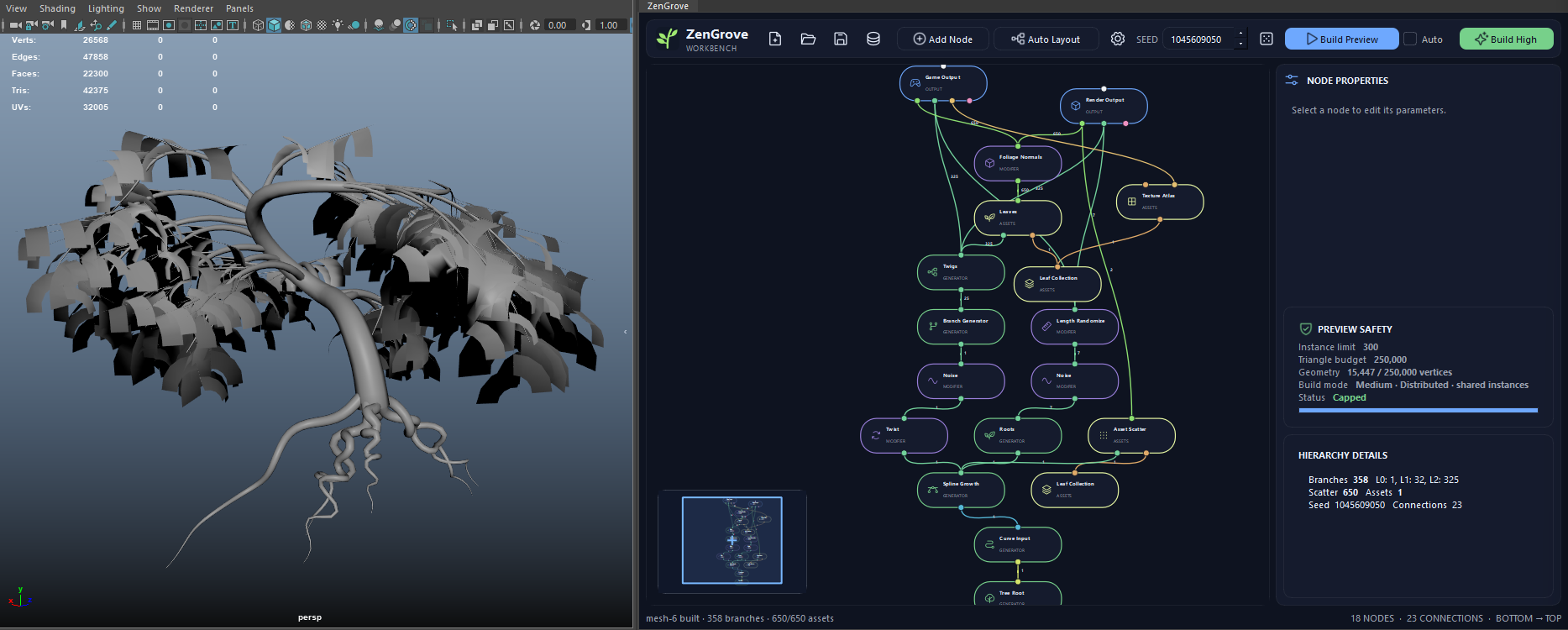
 View full image ↗
 Trees, roots and foliage together
Build the branches, roots and leaves in separate parts of the graph. Change the proportions or seed to make a variation without starting over.
An art-directable, node-based vegetation system for Maya.
Create trees, roots, vines and modular plants directly in Maya. Start with a preset or build your own graph, then adjust the branches and foliage to get the shape you want. Save the graph to keep working on it or make variations later.
Permanent single-tool license · VAT may apply
A verified AO.Hub account is required. ZenGrove requires AO.Hub 1.6.6 or later.
Try all tools for 14 days for noncommercial evaluation. Then choose a paid license in AO.Hub. License details
 View full image ↗
 Build the branches, roots and leaves in separate parts of the graph. Change the proportions or seed to make a variation without starting over.
 View full image ↗
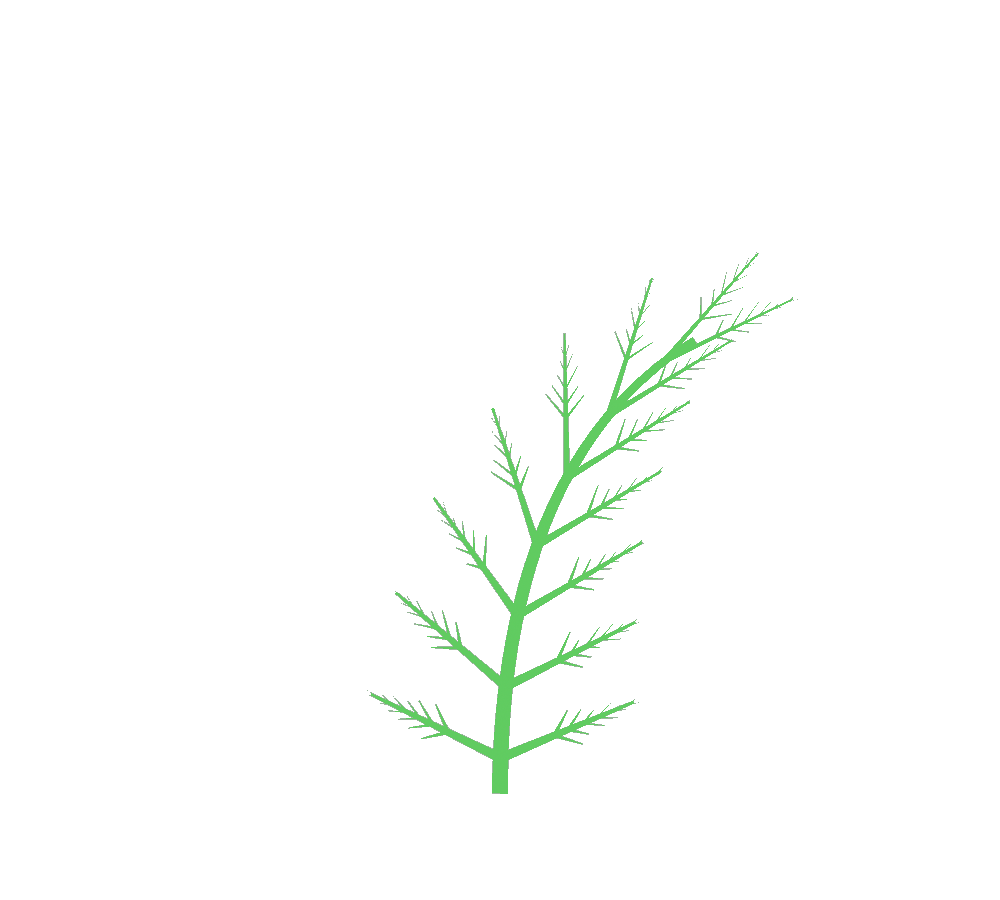
 This fern study uses branching patterns, angle profiles and scale to control the shape. Adjust the settings to change how the branches spread and how tightly they grow together.
 View full image ↗
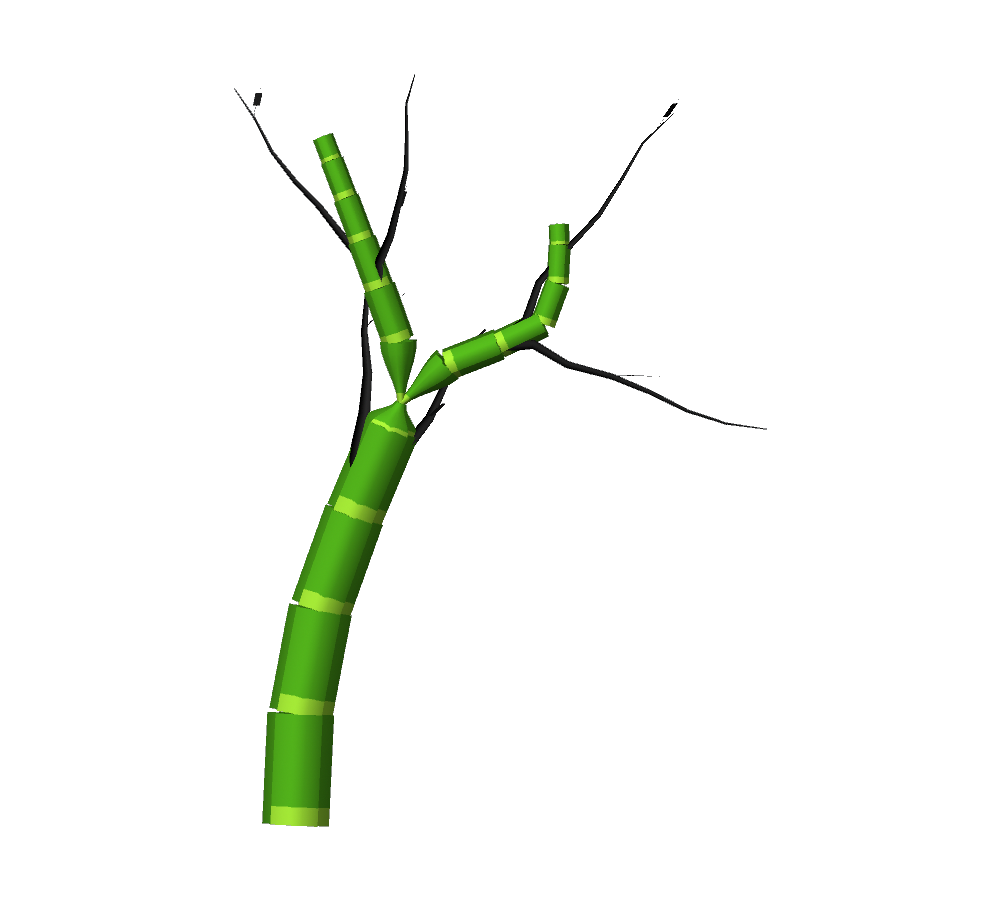
 Spline Segment Growth repeats your mesh assets along a branch. Combine the segments with Split and Branch nodes to build bamboo-like stems or stylized plants.
The standard tree preset animated with GameDynamics. The X-Ray view shows the joints through the foliage, so you can follow their movement while the tree sways.
The X-Ray view shows the rig through the tree. Cyan joints have their own wind motion, amber joints inherit movement, and gray root joints stay fixed.
GameDynamics documentationAdjust the wind for Trunk, Branches and Twigs separately, choose the active branch levels, and export a skinned rig with a wind clip through Game Output. The documentation explains the supported export paths and their limits.
GameDynamics documentationRandom Value (per Leaf) stores a stable value between 0 and 1 for each leaf. Use it in your engine shader to offset the leaf animation. Each RGBA channel can have its own seed.
Vertex Color documentationUse generators, Maya curves or your own meshes as starting points. Combine them with foliage and modifiers in the graph to build the plant you need.
The trial is for noncommercial evaluation. After 14 days, you’ll need a paid license to keep using ZenGrove. Free tools remain available for noncommercial use. You can buy a ZenGrove license or a suite license inside AO.Hub.
Select a node to open its documentation, with screenshots and explanations of its settings.
Frames and comments are editor tools and aren’t included in the node count.
Use the same graph to build Maya geometry or prepare an export. Adjust the resolution, UVs and output settings for the asset you’re making.
Work with curve previews while adjusting the plant, then build the branch meshes, segment assets and foliage. Set the resolution using uniform density or fixed counts. Geometry budgets let you limit the build, and you can cancel it when needed.
Use arc-length UVs for branch tubes and separate UV charts for caps. Assign bark, cap and foliage materials, then adjust foliage normals and vertex colors. Asset-based geometry keeps its source UVs and materials where supported.
Reduce branches and foliage for LODs, combine materials and build texture atlases. Game Output supports UV remapping, dilation, ORM packing, FBX and export metadata.
LOD reduction uses the plant’s procedural structure rather than a general mesh-reduction pass. Check the exported materials, shaders and scale in your target engine.
The introductory price is €39.90 for a permanent single-tool license. The planned price for the full 1.0 release is €79.90. The crossed-out price refers to that future release price, not a previous selling price. VAT may apply.
The current version is 1.0.0-rc.4, a Release Candidate ahead of the full 1.0 release. Test it with your workflow and keep backups of production scenes.
Install AO.Hub 1.6.6 or later in Maya and sign in with your verified account. From there, you can install ZenGrove, purchase its permanent license and get updates. A ZenGrove license is available separately from the full suite.
Yes. Use Curve Input to guide growth with Maya curves, or Asset Collection to use your own meshes for leaves, scattering and segment growth.
You can also create leaf shapes with Asset Generator, repeat them with Asset Array and combine parts with Asset Assemble. Connect these assets directly to Output or Game Output when you want to build them.
Spline Segment Growth repeats and aligns mesh segments along the branch. It doesn’t continuously deform them along the curve.
Yes. Save the graph as an .aoveg file to keep its nodes, settings, connections and seeds. Reopen it to make changes and build the geometry again.
Branch and root grafts use blended, overlapping shells. They aren’t guaranteed to form a single welded, watertight mesh, so check the topology and export for your project.
Install ZenGrove through AO.Hub and try it with the 14-day Pro trial for noncommercial evaluation. A permanent ZenGrove license is currently €39.90. The planned price for the full 1.0 release is €79.90.
Permanent single-tool license · VAT may apply
Ask in Discord, email Piotr or use the Feedback Center in AO.Hub. Replies usually arrive within 24 hours. For node settings and setup instructions, see the documentation.