
ZenGrove
Grow a plant, one node at a time.
Grow a plant, one node at a time.
Explore all 44 nodes with illustrated Maya views and plain-English explanations of every setting. Build trunks and branches, place foliage, shape growth, add wind and prepare your output.
Dynamics
Adds wind-driven motion as Maya's timeline changes. Control broad sway, gusts and leaf flutter, and choose which parts respond.
Branches
Branches
Connect the branch structure through Dynamics, build a preview and play or scrub Maya's timeline. Start with Strength and Frequency, then add Gust and Leaf Flutter. Leaves inherit movement from their parents even when their own flutter is disabled.
Avoid Leaf Collision on Leaves and Leaf Volume currently requires a static build. Turn avoidance off to use active Dynamics, or mute/disable Dynamics before rebuilding with avoidance.
Setup (1)
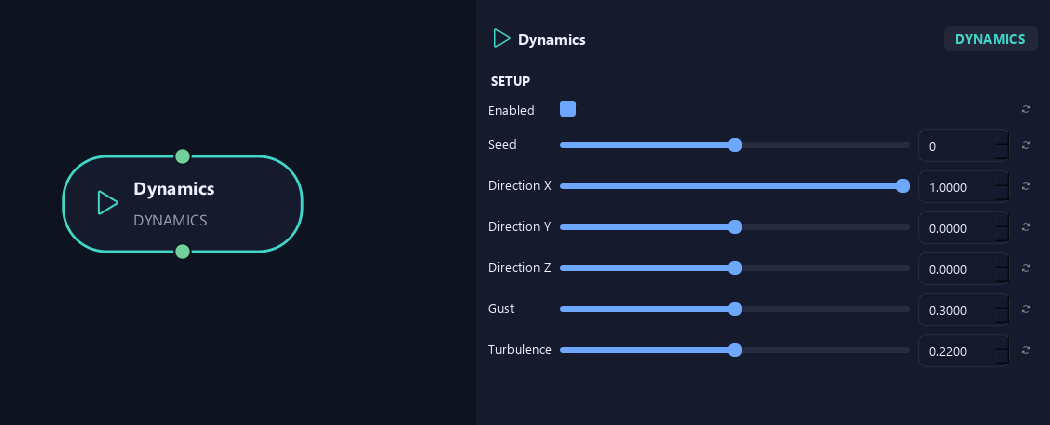
- Enabled
Turns the effect on or off while keeping its settings.
- Seed
Changes variation in the wind motion. The same settings give repeatable motion at the same timeline time.
- Direction X
Sets the wind direction's X component. Positive and negative point toward opposite sides.
- Direction Y
Sets the wind direction's vertical component. Zero keeps a horizontal wind.
- Direction Z
Sets the wind direction's Z component. Combine it with X for diagonal wind.
- Gust
Adds slower rises and falls in wind strength.
- Turbulence
Adds smaller, uneven changes to the motion. Higher values make the crown more restless.
Setup (2)
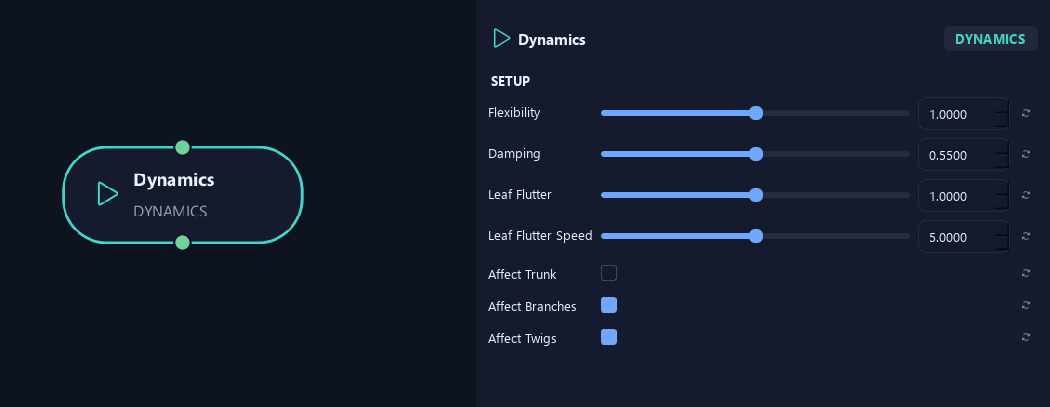
- Flexibility
Controls how readily the structure bends. Zero removes structural bend; higher values make it more flexible.
- Damping
Reduces the branch motion response. Increase it for more restrained movement.
- Leaf Flutter
Sets local leaf rotation on top of movement inherited from the branch.
- Leaf Flutter Speed
Controls how quickly leaves flutter.
- Affect Trunk
Allows the main trunk to receive its own wind bend.
- Affect Branches
Allows branches to receive their own wind bend. They still follow parent motion.
- Affect Twigs
Allows twigs to receive their own wind bend. They still follow parent motion.
Setup (3)

- Affect Leaves
Adds local leaf flutter. When off, leaves still follow moving parent branches.
Deformation
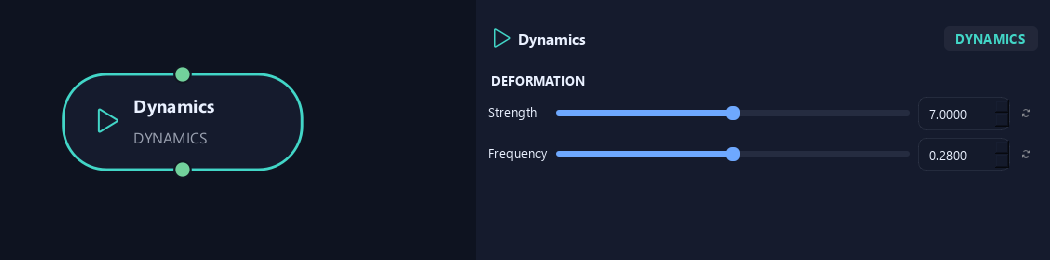
- Strength
Sets broad wind bend in degrees before Flexibility and individual branch response.
- Frequency
Sets base wind-response speed in cycles per second. Lower gives slower sway; higher gives faster motion.
What is ZenGrove used for?
Explore all 44 nodes with illustrated Maya views and plain-English explanations of every setting. Build trunks and branches, place foliage, shape growth, add wind and prepare your output.
Which host application does ZenGrove support?
ZenGrove is built for Autodesk Maya and is distributed through AO Studio Tools.
Where can I download ZenGrove?
Download the current AO Studio Tools package from https://aostudio.tools/getthetools.html and install it through AO.Hub.