
ZenGrove
Grow a plant, one node at a time.
Grow a plant, one node at a time.
Explore all 44 nodes with illustrated Maya views and plain-English explanations of every setting. Build trunks and branches, place foliage, shape growth, add wind and prepare your output.
Texture Atlas
Combines asset textures into shared sheets. Connect it to Game Output to remap foliage UVs for export.
Assets
Assets · Atlas
Setup
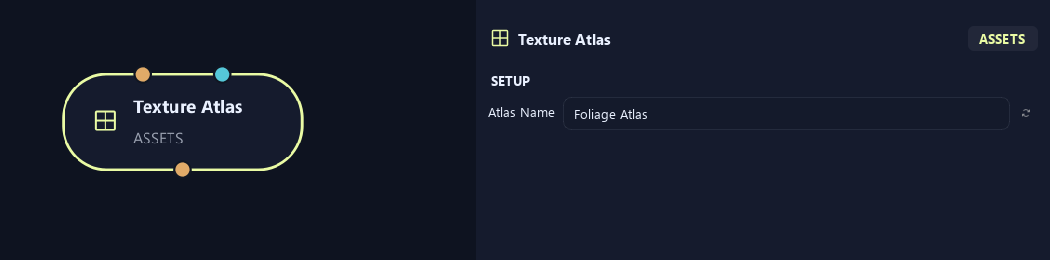
- Atlas Name
Gives this tree, collection or output a recognizable name.
Uv & Textures (1)
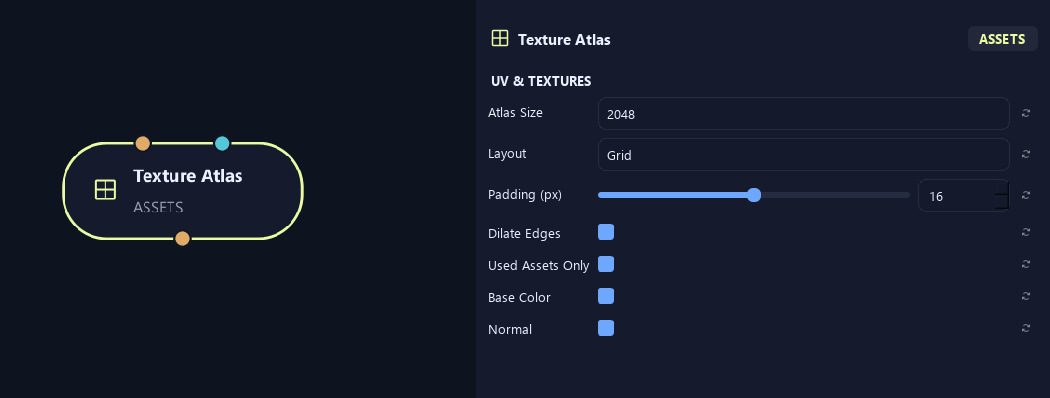
- Atlas Size
Sets atlas width and height in pixels. Larger sheets keep more detail and use more memory.
- Layout
Grid uses regular cells. Packed fits textures into a more compact arrangement.
- Padding (px)
Leaves pixels between texture regions to reduce color bleeding.
- Dilate Edges
Extends colors into padded borders to reduce visible edge seams.
- Used Assets Only
Includes only assets used in the connected result.
- Base Color
Includes surface color textures in the atlas.
- Normal
Includes normal maps for small surface detail.
Uv & Textures (2)
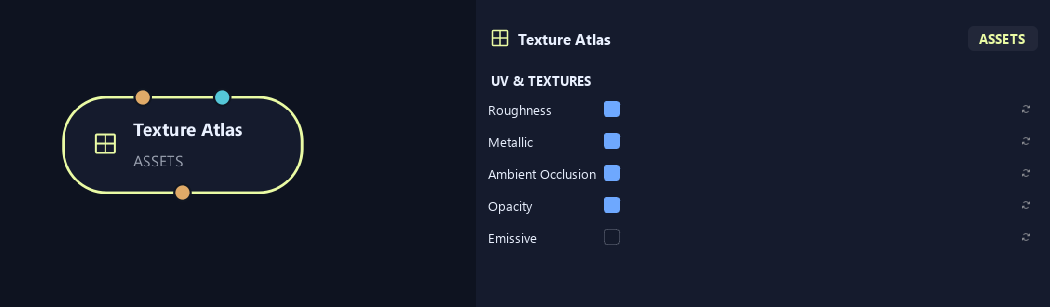
- Roughness
Includes roughness maps for reflection sharpness.
- Metallic
Includes maps distinguishing metallic and non-metallic surfaces.
- Ambient Occlusion
Includes maps of small shaded creases and contact areas.
- Opacity
Includes opacity maps for cutout shapes such as leaf edges.
- Emissive
Includes textures for glowing parts of the asset.
What is ZenGrove used for?
Explore all 44 nodes with illustrated Maya views and plain-English explanations of every setting. Build trunks and branches, place foliage, shape growth, add wind and prepare your output.
Which host application does ZenGrove support?
ZenGrove is built for Autodesk Maya and is distributed through AO Studio Tools.
Where can I download ZenGrove?
Download the current AO Studio Tools package from https://aostudio.tools/getthetools.html and install it through AO.Hub.