
ZenGrove
Built to move. Down to the last leaf.
Built to move. Down to the last leaf.
The RC.4 reference: 51 nodes, 892 settings and short WebM demos. Explore GameDynamics, joint previews, skeletal export and per-leaf random vertex colors. Requires AO.Hub 1.6.6 or later.
Structural Combine
Rejoins edited paths from a common structure, resolves overlapping changes and releases their active masks. Connect one path to simply finish a masked operation.
Branches (multiple connections)
Branches
Connect a common Branches stream to Mask. Send Mask through Curl and Invert Mask through Gravity Force, then connect both results to the single, multi-connection Branches input on Structural Combine. Continue from Combine to Leaves and Output. The common structure is found automatically, including through Reroute knots.
The shared trunk is emitted once; independent tree identities stay separate. Add Changes applies already-masked differences once, without multiplying the masks again. Use the preference modes when conflicting topology or metadata cannot be added meaningfully. Put operations in sequence when each should work on the other’s result.
Connect just one edited path to remove its active mask while keeping the resulting geometry. Cross-section contours, dimensions and rotation can blend between complementary masked paths; this does not imply arbitrary topology edits can blend.
Watch the Structural Combine settings tour
Current Maya controls, including conditional settings. Each view stays on screen for one second (three views take three seconds); pause or choose a group to inspect it.
Setup
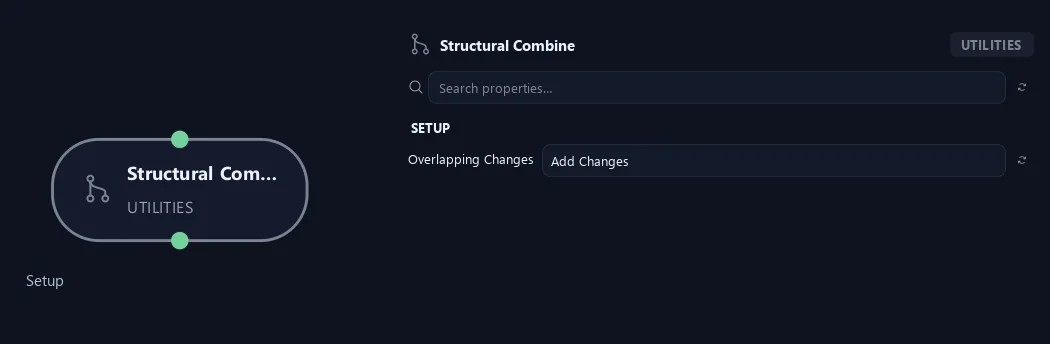
- Overlapping Changes
Add Changes adds each path’s already-masked changes relative to their common starting structure. Average Changes averages overlapping changes. Prefer First or Prefer Last resolves overlaps in favor of the corresponding input order. Conflicting topology or metadata may require an explicit preference.
What is ZenGrove used for?
The RC.4 reference: 51 nodes, 892 settings and short WebM demos. Explore GameDynamics, joint previews, skeletal export and per-leaf random vertex colors. Requires AO.Hub 1.6.6 or later.
Which host application does ZenGrove support?
ZenGrove is built for Autodesk Maya and is distributed through AO Studio Tools.
Where can I download ZenGrove?
Download the current AO Studio Tools package from https://aostudio.tools/getthetools.html and install it through AO.Hub.