
ZenGrove
Built to move. Down to the last leaf.
Built to move. Down to the last leaf.
The RC.4 reference: 51 nodes, 892 settings and short WebM demos. Explore GameDynamics, joint previews, skeletal export and per-leaf random vertex colors. Requires AO.Hub 1.6.6 or later.
Mask
Selects where downstream nodes act without removing the supporting branches. Use a sphere, closed mesh, painted weights or a vertex-color channel, then continue through Mask or Invert Mask.
Branches
Mask · Invert Mask
Connect Branches → Mask → a modifier’s ordinary Branches input. Both Mask and Invert Mask carry the complete structure plus an active selection; black protects geometry rather than cutting it out. The selection affects following operations until Structural Combine releases it. A second Mask subdivides the incoming selection.
Volume uses a spherical handle. Mesh Volume requires a closed polygon mesh and tests the branch centerline in world space. Falloff Distance fades inward from the surface; zero keeps a hard boundary. Preview the selection before shaping. Rebuild after editing a source mesh used by a built native animation.
Paint / Apply / Clear operate on a temporary surface. Weights are stored by branch identity and position along its length, so changing mesh resolution preserves them. A cross section’s values are averaged: this selects the branch, not separate sides of its bark. Changing generators or seeds can change branch identities. Selection changes and saving also apply ongoing painting.
After a locally masked bend, the remaining branch follows the changed direction while retaining its rest shape and length. Black adds no further deformation; it does not pin every downstream point to its original world position. The temporary preview is excluded from final geometry and has a vertex budget.
Watch the Mask settings tour
Current Maya controls, including conditional settings. Each view stays on screen for one second (three views take three seconds); pause or choose a group to inspect it.
Setup
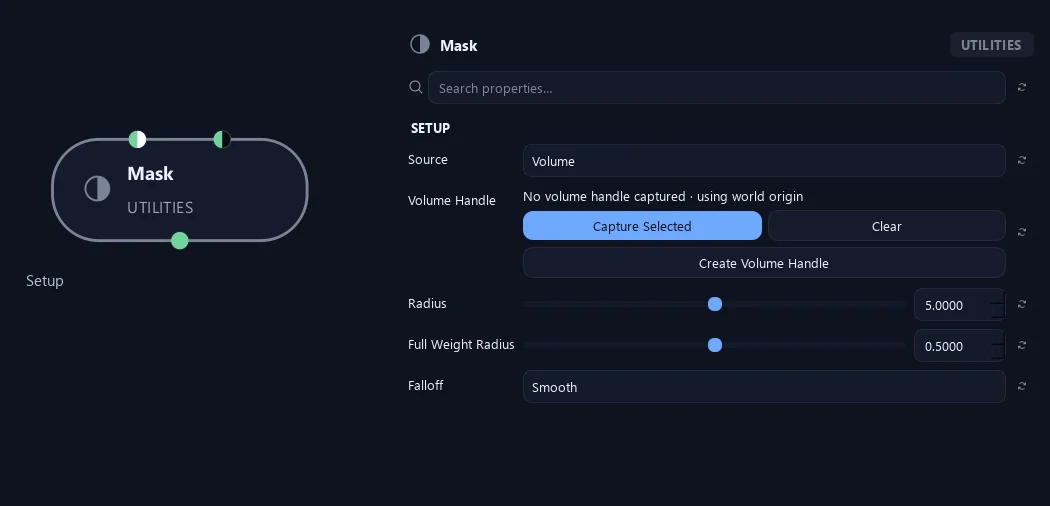
- Source
Volume selects with a spherical Maya handle; Mesh Volume uses a closed polygon mesh; Paint stores painted branch weights; Vertex Color reads an upstream R, G, B or A channel.
- Volume Handle
Assigns the Maya object that positions the spherical mask. Move or scale its handle to adjust the affected area; without an assigned handle the sphere is centered at the world origin.
Available when Source is Volume.
- Radius
Sets the sphere radius in scene units. Inside the full-weight core the mask is white, and outside the sphere it is black.
Available when Source is Volume.
- Full Weight Radius
Fraction of Radius with weight 1. The remaining band fades to 0.
Available when Source is Volume.
- Falloff
Linear gives a straight weight ramp; Smooth eases the ramp; Hard gives a sharp boundary. Mesh Volume fading runs inward from its surface.
Available when Source is Volume or Mesh Volume.
Preview
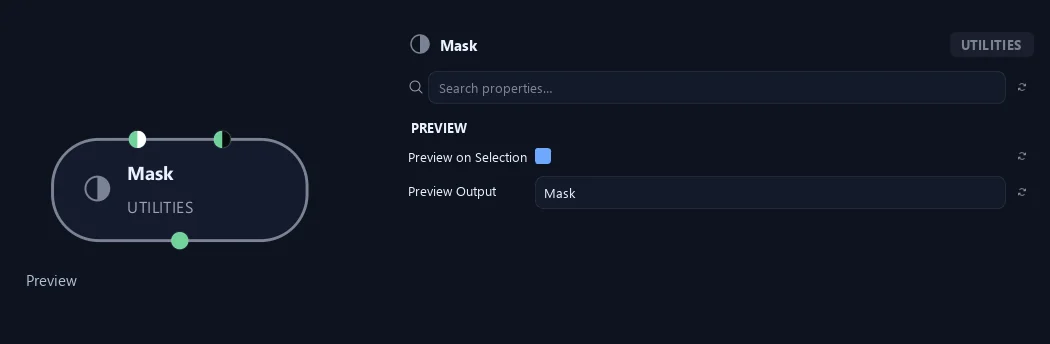
- Preview on Selection
Shows a temporary weight preview when this node is selected. It is separate from output materials and is removed on deselection, build, save or close.
- Preview Output
Chooses whether the temporary preview displays the normal or inverted mask. This display setting does not change either output connection.
Setup
Shown example: Source = Mesh Volume.
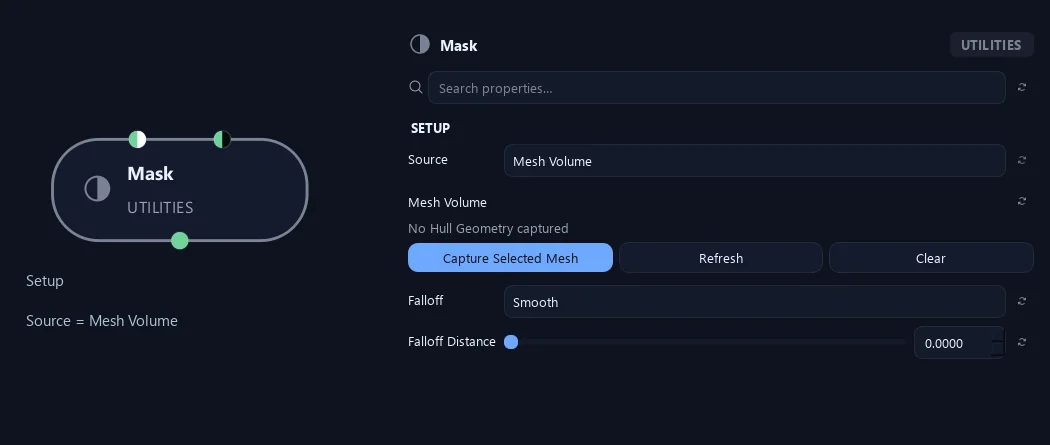
- Source
Volume selects with a spherical Maya handle; Mesh Volume uses a closed polygon mesh; Paint stores painted branch weights; Vertex Color reads an upstream R, G, B or A channel.
- Mesh Volume
Closed polygon mesh. Selects branch centerlines inside it; outside is black. Falloff Distance fades inward from the surface. Uses world-space geometry including transforms.
Available when Source is Mesh Volume.
- Falloff
Linear gives a straight weight ramp; Smooth eases the ramp; Hard gives a sharp boundary. Mesh Volume fading runs inward from its surface.
Available when Source is Volume or Mesh Volume.
- Falloff Distance
World-space distance from the mesh surface inward, in scene units. Weight fades from 0 at the surface to 1 at this distance. Zero keeps a hard boundary.
Available when Source is Mesh Volume and Falloff is Linear or Smooth.
Setup
Shown example: Source = Vertex Color.
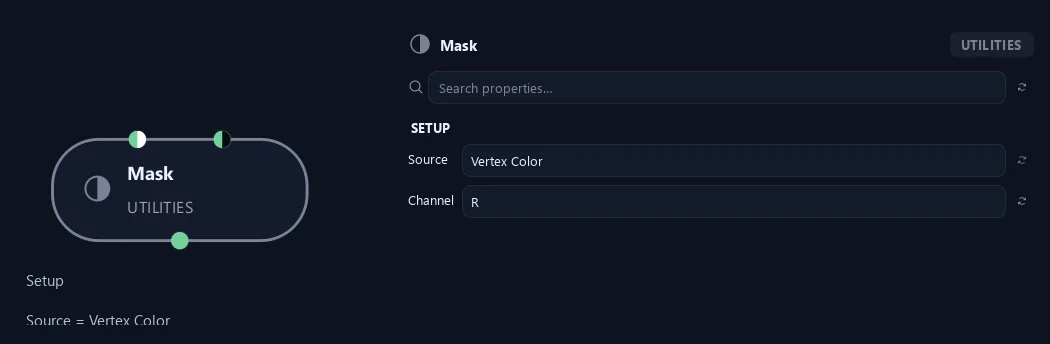
- Source
Volume selects with a spherical Maya handle; Mesh Volume uses a closed polygon mesh; Paint stores painted branch weights; Vertex Color reads an upstream R, G, B or A channel.
- Channel
Reads this channel from upstream procedural Vertex Color data. Connect Vertex Color before Mask; a missing channel contributes zero weight.
Available when Source is Vertex Color.
Setup
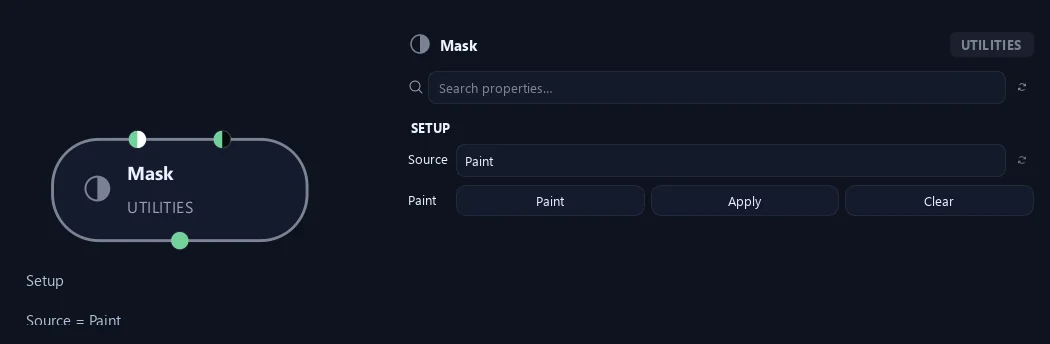
Shown example: Source = Paint.
- Source
Volume selects with a spherical Maya handle; Mesh Volume uses a closed polygon mesh; Paint stores painted branch weights; Vertex Color reads an upstream R, G, B or A channel.
- Paint
Paint opens Maya’s vertex-color brush on a temporary surface. Paint white to select, black to protect and gray for partial influence. Apply stores the weights; Clear removes the painted values.
Available when Source is Paint.
What is ZenGrove used for?
The RC.4 reference: 51 nodes, 892 settings and short WebM demos. Explore GameDynamics, joint previews, skeletal export and per-leaf random vertex colors. Requires AO.Hub 1.6.6 or later.
Which host application does ZenGrove support?
ZenGrove is built for Autodesk Maya and is distributed through AO Studio Tools.
Where can I download ZenGrove?
Download the current AO Studio Tools package from https://aostudio.tools/getthetools.html and install it through AO.Hub.