
Animation and previs
Virtual Camera
Turn your phone into a lightweight Maya handheld camera.
Connect a phone browser to Maya over the same local network and block shots with touch or motion controls. Preview framing live, record takes directly in Maya and stabilize the result in a post pass.
Tested on Windows. macOS is not supported; Linux is untested. A verified AO.Hub account is required.
Try all tools for 14 days for noncommercial evaluation. Then choose a paid license in AO.Hub. License details
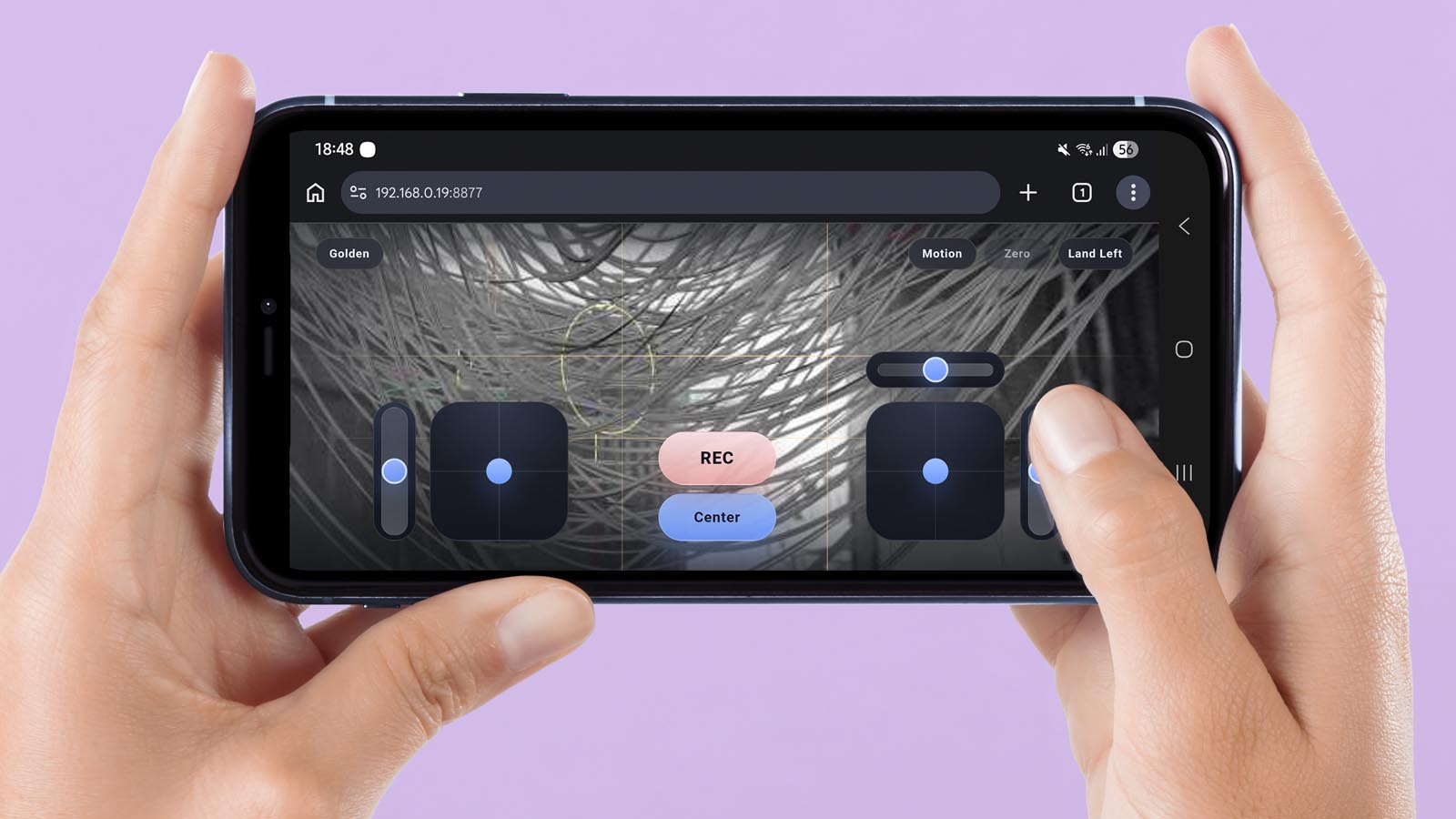
Where Virtual Camera fits.
Recording motion-sensor handheld takes
Smoothing recorded camera and focal-length keys
A focused workflow, without the repetitive setup.
Every feature is designed to remove steps while leaving the result editable and production-friendly.
01Connect by QR code over the same local Wi-Fi network.
02Drive move, lift, look, roll and field of view from a phone.
03Use optional motion sensors for natural handheld framing.
04Record takes directly into Maya and stabilize them afterward.
Try Virtual Camera in Maya.
01 · Install AO.HubDownload the ZIP, extract it and drag dragThis_intoMaya.py into Maya. Restart once.
02 · Verify and sign inCreate your account in AO.Hub, confirm your email and log in.
03 · Choose your toolFind Virtual Camera in AO.Hub. Start the 14-day Pro trial from the account menu to evaluate all tools.
04 · Make somethingOpen the tool and try a workflow from the examples above.
The trial is for noncommercial evaluation. When it expires, paid tools lock again; free tools remain available for noncommercial use. Buy a suite or single-tool license inside AO.Hub when you are ready.
From download to Maya in four steps.
01 · DownloadGet the current AO.Hub ZIP.
02 · InstallDrag the installer into Maya and restart once.
03 · Sign inUse one account for free and paid access.
04 · Add the toolInstall or unlock it directly in AO.Hub.
Put Virtual Camera into your Maya workflow.
AO.Hub is free to download. Registration connects your installs, updates and licenses.
No credit card required to start.
Need a hand?
Use the Feedback Center inside AO.Hub, email Piotr or ask in Discord. Replies usually arrive within 24 hours. The documentation is available anytime.