
Set up a workstation
Install AO.Hub, sign in and choose the tools you need. The Hub handles their installation inside Maya.
Your AO Studio Tools, right inside Maya.
AO.Hub is the central platform for AO Studio Tools inside Maya. Browse the catalog, install the tools you need and manage updates from one panel. AO.Hub keeps your licenses connected to your account and shows which tools are installed, available to try or ready to update.
Create a free account to install tools and manage your licenses.
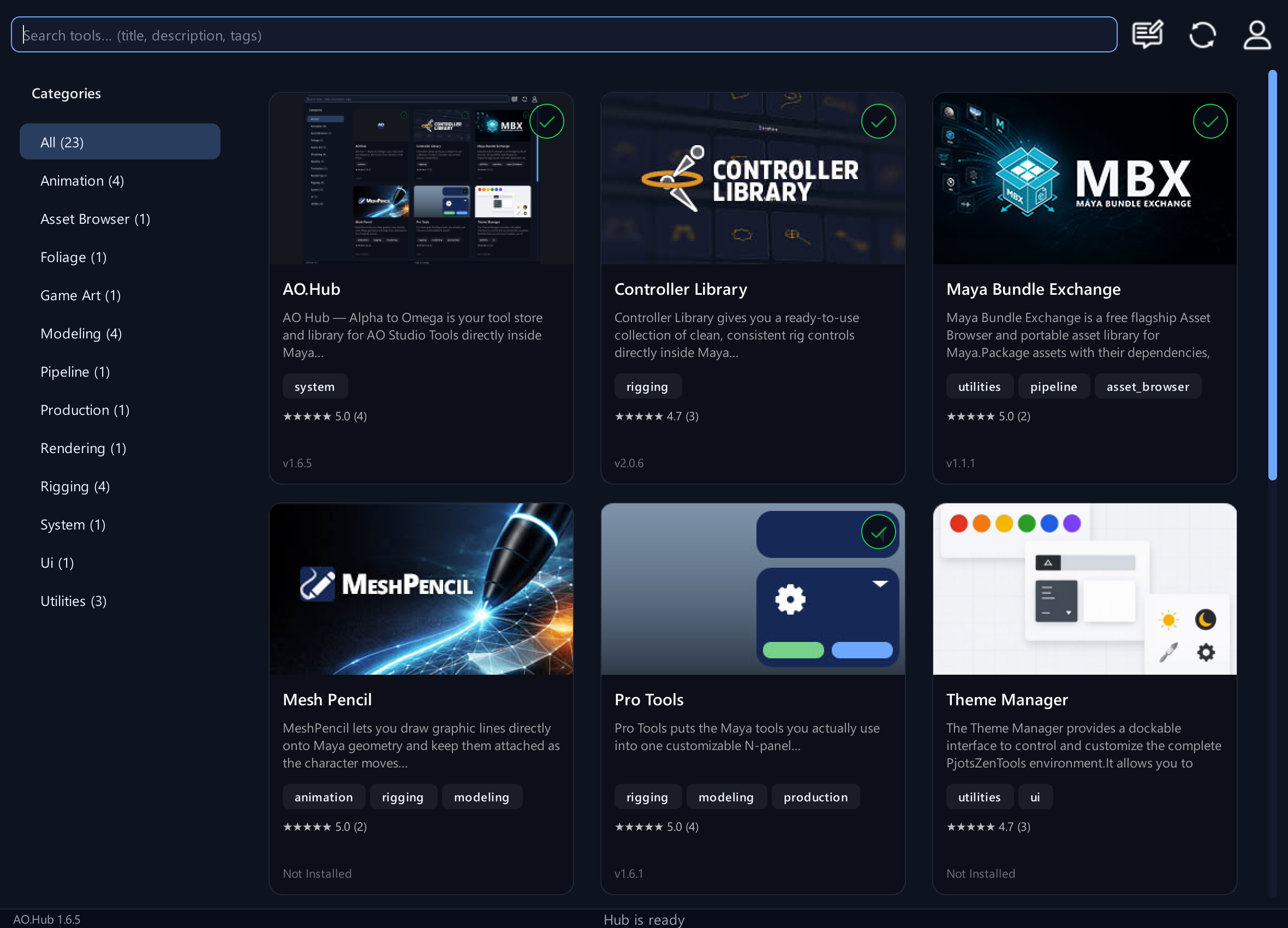
Install AO.Hub, sign in and choose the tools you need. The Hub handles their installation inside Maya.
Check which tools have new versions available and review what changed. Choose when to update each tool around your production schedule.
After a Maya reinstall or a move to another workstation, sign in with your existing account to access your licenses and reinstall your tools.
See what’s available, what’s installed and what your account gives you access to.
Search by name, category or tag. Open a tool to read about its features, view screenshots and check the available access.
Install tools directly from the catalog, then launch them from AO.Hub. Remove a local installation when you no longer need it.
Check available tool updates and install them when you’re ready. AO.Hub also checks for updates to the Hub itself.
Review your free tools, trial access and purchased licenses from the account menu. Your licenses stay connected to your account when you reinstall.
AO.Hub is free. Free tools are available for noncommercial use, and the optional 14-day Pro trial lets you evaluate all tools. Commercial work requires a commercial license covering the tools you use.
Download AO.Hub and choose from the AO Studio Tools catalog. Start with the free tools, try the Pro tools or purchase a license directly through the Hub.
Get help with installation, account access and updates through the Feedback Center in AO.Hub, email or Discord. The AO.Hub documentation includes illustrated guides for setup and troubleshooting.