Studio Tools

Non-Planar Master

Select non-planar faces by angle threshold.

Version 1.0.0
Overview v1.0.0

Select non-planar faces by angle threshold.

Non-Planar Master finds and selects faces whose internal planarity deviation exceeds a user-defined angle threshold. Works from any selection mode (object/vertex/edge/face), replaces the selection with the problematic faces, switches to Face Component Mode, and uses in-view feedback for clean UX.

Features

Select Non-Planar Faces

Finds and selects polygon faces whose internal planarity deviation exceeds a user-defined angle threshold, helping prevent shading and triangulation issues in exports and renders.

  • Start with 3–5° for strict hero assets; use 8–15° for broad cleanup passes.
  • Non-planar hits are common on n-gons and unevenly spaced vertices.
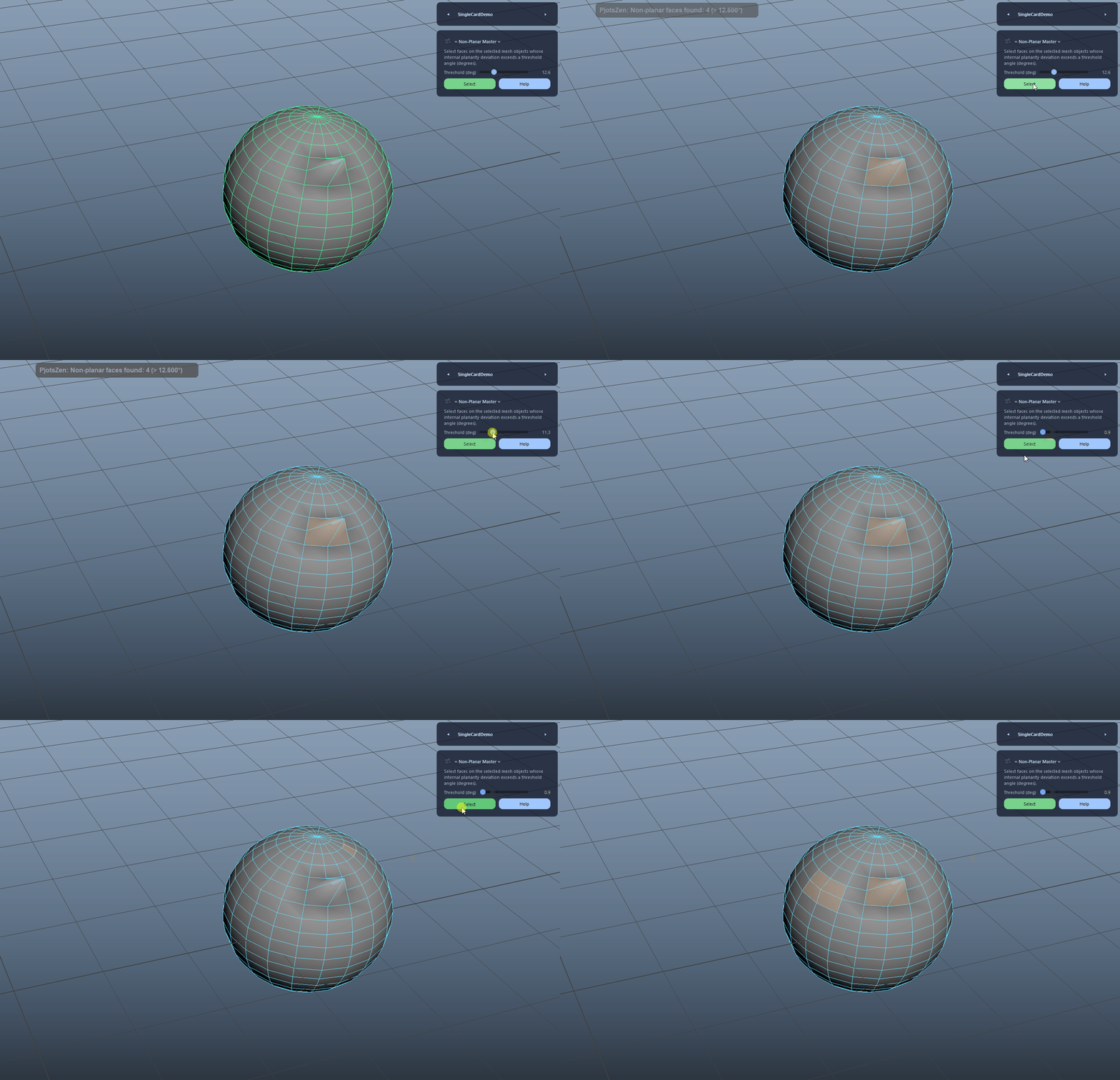
Select Non-Planar Faces demo

Works From Any Selection Mode

Runs reliably whether you start in Object, Vertex, Edge, or Face mode. Components are resolved to their owning meshes automatically.

  • You can keep modeling in component mode and trigger the check without switching modes manually.
Works From Any Selection Mode demo

Auto Face Mode (Edit Ready)

After selecting problematic faces, the tool switches to Face Component Mode and hilites the owning meshes so you can immediately manipulate the result without re-clicking the object.

  • If multiple meshes are selected, all owners are hilited to keep edits responsive.
Auto Face Mode (Edit Ready) demo

Clean In-View Feedback

Reports results via a muted top-center in-view message (PjotsZen: [error]/[info]) instead of spamming the Script Editor, making it pipeline-friendly during cleanup passes.

Clean In-View Feedback demo
FAQ

What is Non-Planar Master used for?

Non-Planar Master finds and selects faces whose internal planarity deviation exceeds a user-defined angle threshold. Works from any selection mode (object/vertex/edge/face), replaces the selection with the problematic faces, switches to Face Component Mode, and uses in-view feedback for clean UX.

Which host application does Non-Planar Master support?

Non-Planar Master is built for Autodesk Maya and is distributed through AO Studio Tools.

Where can I download Non-Planar Master?

Download the current AO Studio Tools package from https://aostudio.tools/getthetools.html and install it through AO.Hub.